
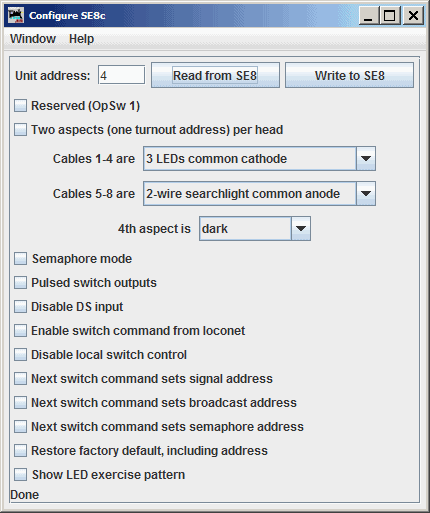
The JMRI SE8c programming tool lets you configure the internal options of a Digitrax SE8c Signaling Decoder Board directly from your computer.
To open this tool from the JMRI pane select the LocoNet menu and then find the tool on the list.
To use it, you put the address of an SE8c board in the text field and click "Read from SE8c". The tool will read back the current state of the various options, and set the check boxes to correspond to their current values.
You can then, if you wish, change the checkboxes and click "Write to SE8c" to make your changes permanent.
The tool relies upon each SE8C board to have a unique "Board ID" (Board Address) in order to configure each device individually. While it is possible to change the Board ID number using JMRI, it cannot be done using this tool due to limitations of the SE8C design. Instead, follow the instructions found here, but you must consult the SE8C manual and modify the JMRI-based process to suit the SE8C device's buttons, button press time, and lamp flashes.
Documentation for the SE8c can be found at the Digitrax Web Site.